XMP / Lightroom / Camera Raw
Choose the source look
Load one or more English-named XMP presets and choose the camera models you actually use.
Convert XMP presets into ready-to-import Capture One style packages, with optional CUBE LUTs for compatible creative apps.
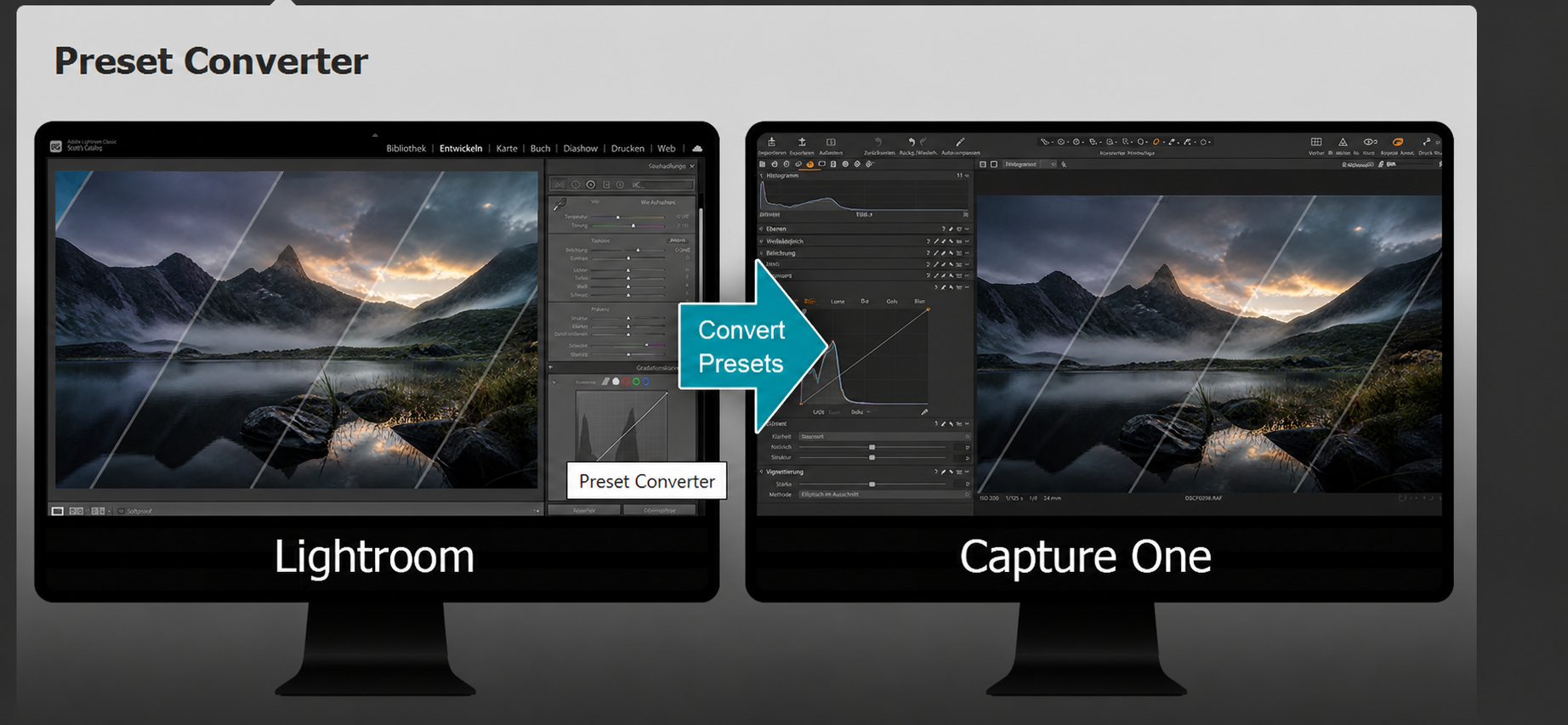
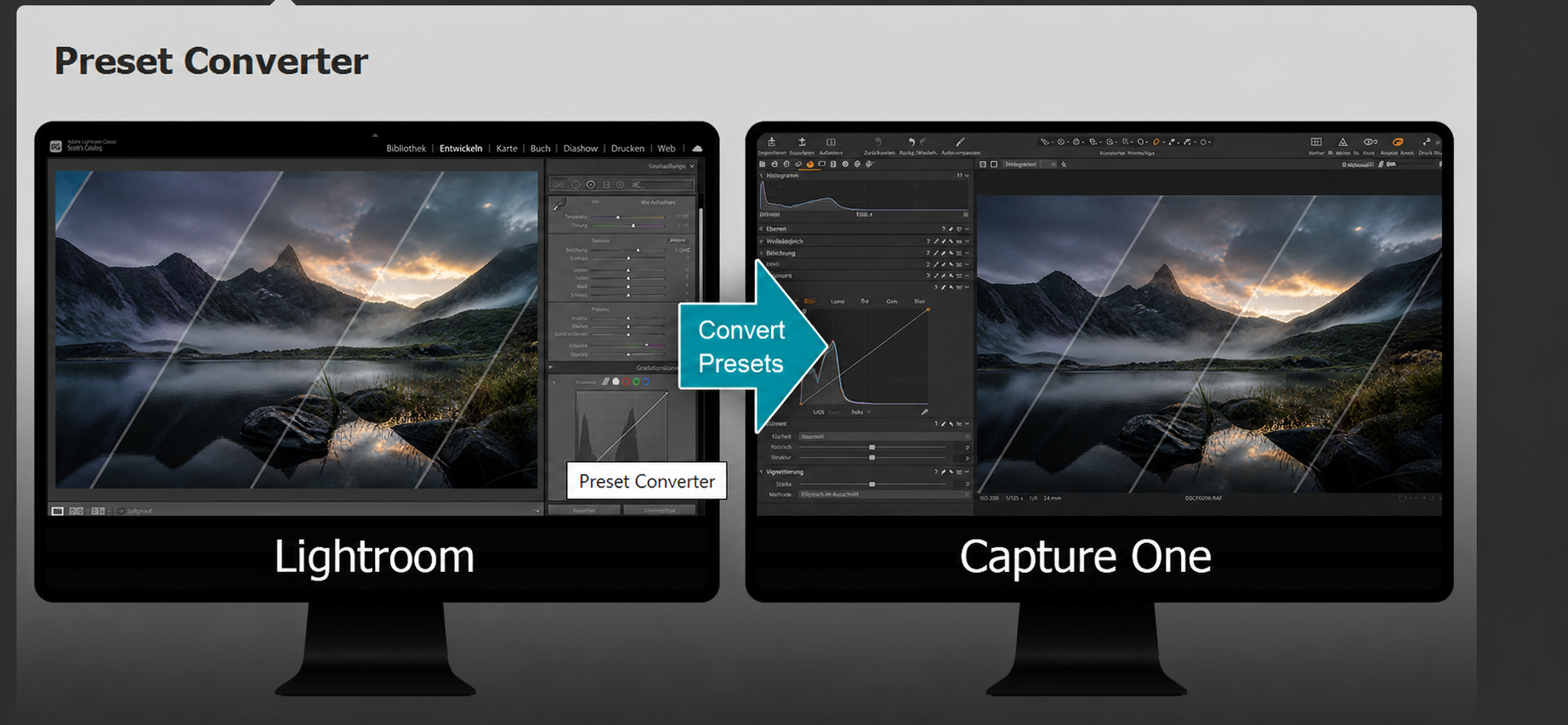
Lightroom and Capture One use different color engines. xmp2c1 is built for the practical gap between them: select an XMP look, select the camera target and receive files organized for the destination.
The customer-facing workflow stays simple while the proprietary conversion engine remains a private black box.
Load one or more English-named XMP presets and choose the camera models you actually use.
xmp2c1 carries the global color and tone intent through its protected local conversion engine.
Create a Capture One import package plus a 33-point CUBE for mobile devices and a 65-point CUBE for desktop applications.
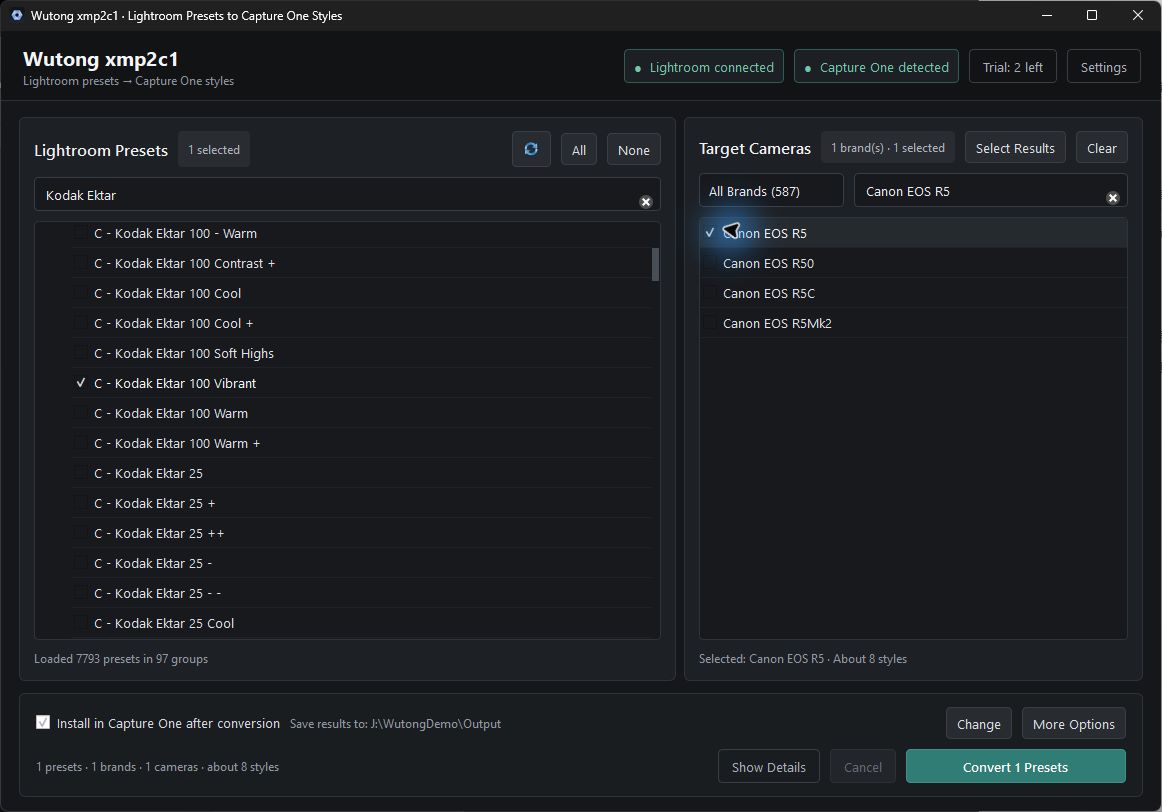
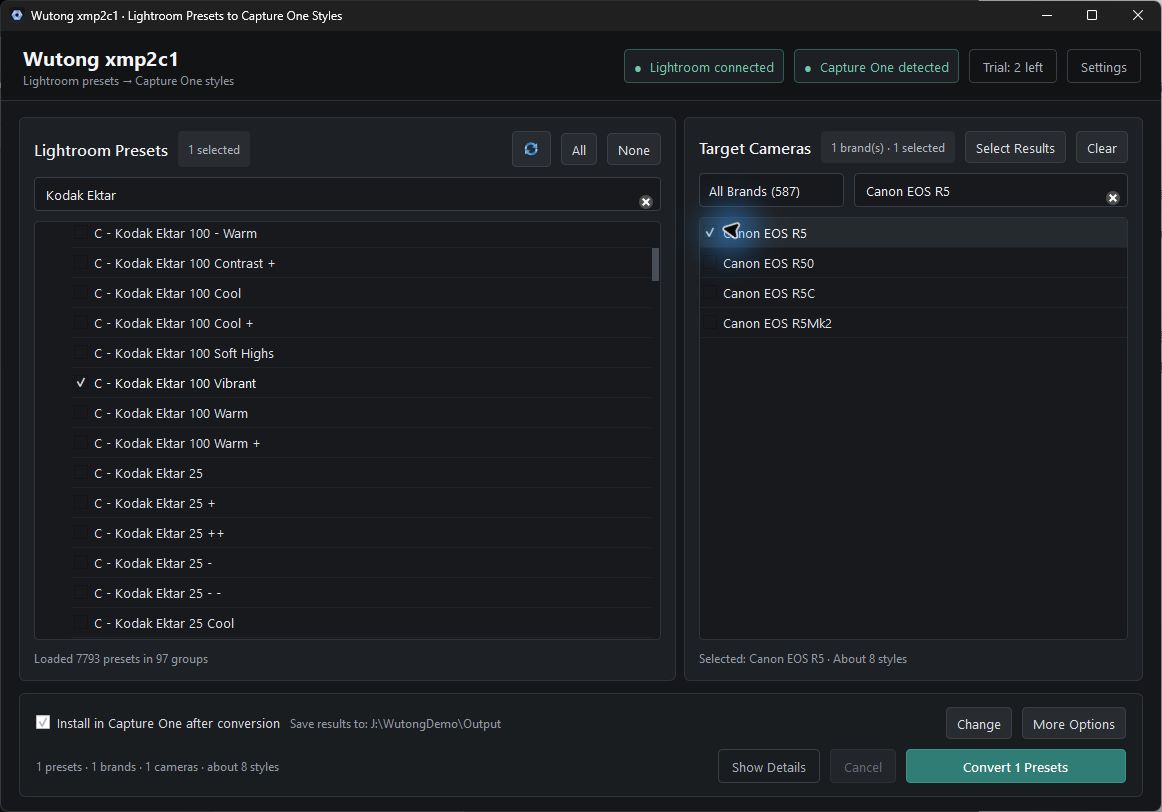
Every screen below comes from the working 0.5.11 English desktop product. No browser interface has been reconstructed to imitate Capture One.
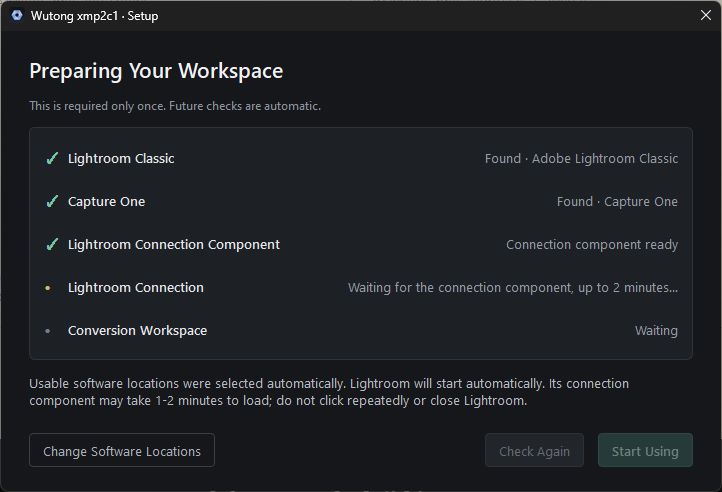
Confirm Lightroom, Capture One and the local connection before conversion begins.
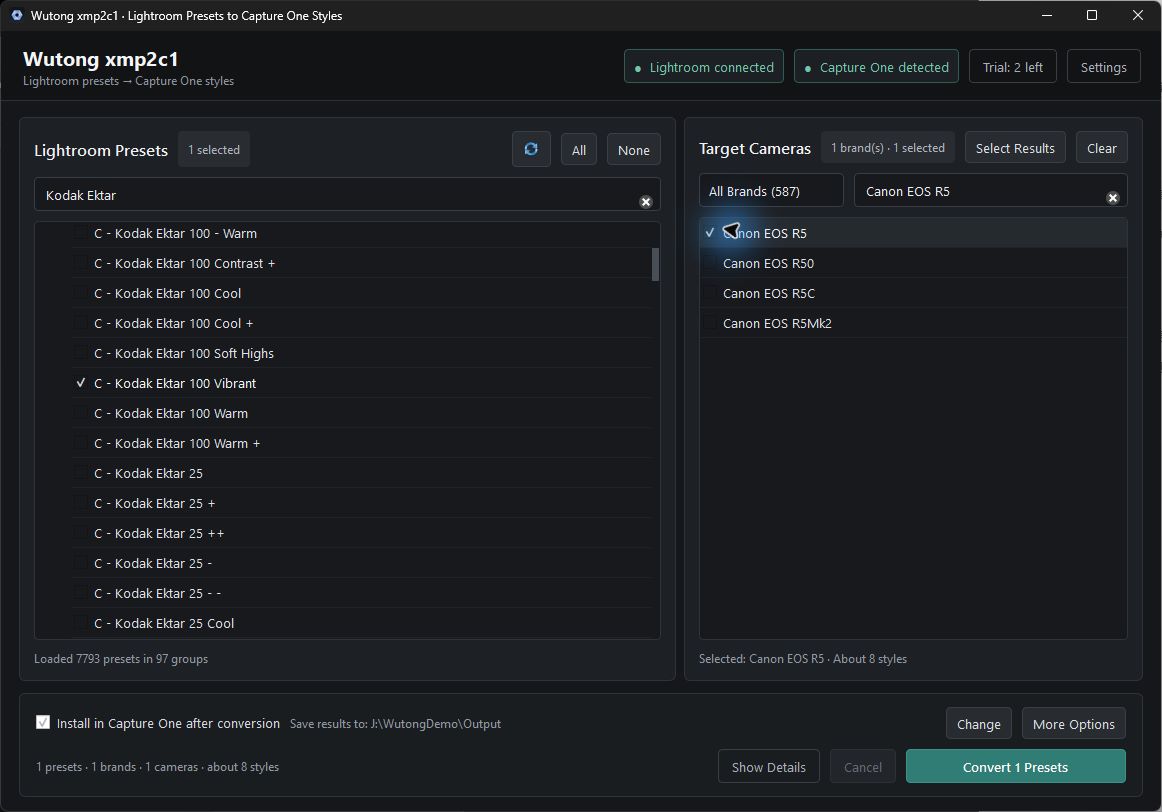
Choose XMP presets, target camera profiles and the output location in one compact screen.
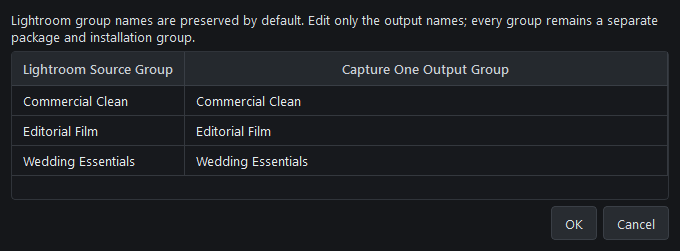
Rename any single group—or multiple groups independently—before packaging them for Capture One.
Choose automatic installation to add the finished styles directly to Capture One as soon as conversion completes.
The product creates destination-ready formats—not a vague promise that one file works identically everywhere.
One package with eight styles per XMP: four for RAW and four for JPEG, each at 100%, 75%, 50% and 25% strength.
ICC carries the matched color profile; COSTYLE carries the paired Capture One Style.
A 33-point CUBE for mobile devices and a higher-resolution 65-point CUBE for desktop applications with a dedicated LUT loader.
Each XMP creates four RAW styles and four JPEG styles at 100%, 75%, 50% and 25% strength—all bundled in one Capture One import package.
Use CUBE only in applications that include a dedicated LUT loader.
Important: global color and tone translate well. Adaptive masks, crop, healing, sharpening, noise reduction and other image-dependent edits do not become a universal LUT.
There are no monthly or annual subscriptions. Choose a conversion pack, one 30-day unlimited window or a perpetual license.
2 complete conversions. No payment details required.
$2.00 each. Start with a focused collection.
$1.50 each. Build a larger preset catalog.
$1.00 each. Scale a serious catalog.
Unlimited conversions for 30 consecutive days beginning at first activation.
Continuing use of the supplied desktop version with unlimited conversions.
Prices are in USD. Taxes may be included or added according to the buyer’s location. PayPal and wallets appear where eligible.
Sell presets, styles and LUTs created from source files you own or are licensed to use. WUTONG takes no share of your preset revenue. Third-party marketplace and payment fees may still apply. No earnings are guaranteed.
It translates global color and tone from XMP-based Lightroom or Camera Raw looks into Capture One-ready style packages and optional portable CUBE LUTs.
No universal LUT can carry adaptive masks, crop, healing, sharpening, noise reduction or other image-dependent controls. Different raw engines also interpret files differently, so test critical client work before delivery.
Install or import the presets into Lightroom first. xmp2c1 automatically detects every preset available in your local Lightroom installation, so you can select them directly. No photographs or preset files are uploaded.
Each XMP creates a Capture One .costylepack with four RAW styles and four JPEG styles at 100%, 75%, 50% and 25% strength, plus matched ICC profiles. It also creates two CUBE LUTs: a 33-point version for mobile devices and a higher-resolution 65-point version for desktop applications.
Yes, when you own or are authorized to use every source file. WUTONG takes no share of your preset sales. The software, activation code and conversion allowance cannot be resold or transferred.
No. All five offers are one-time purchases. The $299 option provides one 30-day unlimited window and never renews automatically.
Paddle handles secure payment and applicable buyer taxes. After the server verifies a completed payment, WUTONG sends activation and protected delivery information to the checkout email.